Renewing an Outdoors Card Online
It can be incredibly frustrating when you're all set to apply for that coveted moose draw or grab your deer tag, only to realize your Ontario Outdoors Card has expired. That little piece of plastic, or its digital equivalent, is the key to everything in the Ontario hunting world, and keeping it current can feel like a bureaucratic headache. This comprehensive guide is here to demystify the process of renewing your Outdoors Card online, ensuring you can stay focused on the wild, not the paperwork.
Understanding Your Ontario Outdoors Card
Before we dive into the nitty-gritty of online renewal, let's take a moment to understand what your Outdoors Card truly is and why it's such a critical piece of your hunting (and fishing!) toolkit in Ontario. It's more than just an ID; it's your foundational hunting and fishing identity with the province, proving you've met the basic requirements to participate.
Why the Outdoors Card is Essential
Think of your Outdoors Card as your permanent hunting and fishing ID number. It's not a licence itself, but rather the prerequisite to buy all your hunting and fishing licences and tags. Without a valid Outdoors Card, you simply cannot purchase any hunting licence, whether it's for whitetail deer, black bear, or migratory birds. This system helps the Ministry of Natural Resources and Forestry (MNRF) track who is participating in these activities, ensuring everyone has met the necessary hunter education requirements or residency qualifications. For a deeper dive into the basics, you can read our guide on Ontario's Outdoors Card Explained. Many new hunters, or even seasoned folks returning after a hiatus, often ask about Getting an Ontario Outdoors Card – it’s the first step for anyone looking to hunt in our beautiful province.
It's a foundational piece of your hunting identity, tying all your past harvest reports, licence purchases, and even moose points to a single profile. This continuity is vital for managing wildlife populations and ensuring responsible hunting practices. Imagine trying to sort through paper records for thousands of hunters; the Outdoors Card streamlines everything, making it easier for both hunters and the provincial government. It’s also how they verify that you've completed the mandatory Ontario Hunter Education Course, which is a big deal for safety and responsible hunting.
Checking Your Card's Expiry Date
One of the most common pitfalls hunters face is simply forgetting to check their Outdoors Card expiry date until it's too late. Trust me, I've been there – standing at the counter, ready to pick up a tag, only to be told my card is invalid. It’s a gut punch, especially when you’re already excited for the season. An Ontario Outdoors Card is typically valid for three calendar years from the date of issue. So, if you got yours on May 15, 2024, it would expire on December 31, 2026. This isn't always immediately intuitive, as it's not a rolling three years from your purchase date, but rather three calendar years.
There are a few easy ways to check your expiry:
- Look at the card itself: Your physical Outdoors Card will have the expiry date printed clearly on it.
- Check online: The most reliable way is to log into your account on the Ontario Hunting and Fishing Licencing website, which is often referred to as the "ION Portal." This portal holds all your current licence information, including the expiry of your Outdoors Card. This is also where you'll find information on When Ontario Licences Expire for specific game species.
- Use a dedicated app: Some third-party apps, like GoHunt, offer features that let you manage your hunting and fishing profiles, including checking card validity. While not an official government platform, these can sometimes be handy for quick reference if linked correctly to your provincial account.
It’s a good habit to check your card’s expiry every year, perhaps when you’re doing your initial season planning or even when you're just perusing the new regulations summary. Mark it on your calendar, set a reminder on your phone – whatever it takes to avoid that frustrating moment of discovery at the last minute.
The Step-by-Step Online Renewal Process
The good news is that renewing your Ontario Outdoors Card online is a relatively straightforward process once you know where to go and what to expect. It's designed to be user-friendly, saving you a trip to a licence issuer or government office. You can do it from the comfort of your home, even while planning your next big adventure, like a Moose Hunting Ontario's Northern Bush trip or a Whitetail Hunting in Ontario expedition.
Getting Started on the ION Portal
Your first stop for online renewal is the official Ontario Hunting and Fishing Licencing Service, also known as the Integrate Outdoors Network (ION) portal. This is the province's centralized system for everything related to your hunting and fishing licences.
- Access the Portal: Open your web browser and navigate to the official Ontario government website for hunting and fishing licences. You'll want to ensure you're on the legitimate government site to protect your personal and payment information.
- Log In: You’ll need your Outdoors Card number and your password to log in. If you've never logged in before, or if it's been a while, you might need to create an account or reset your password. We'll cover common login issues in the next section, but generally, having your Outdoors Card number handy is key.
- Navigate to Renewal: Once logged in, you should see your profile dashboard. Here, your current Outdoors Card status will be displayed, often with a clear notification if it's nearing expiry or has already expired. Look for an option like "Renew Outdoors Card" or "Buy/Renew Licences." It's usually pretty prominent.
The portal is generally quite intuitive. It's a digital version of what used to be a paper-heavy process, making Buying Licences Through Ontario's Portal much easier than it ever used to be. The system keeps a running tab on all your licence history, which is helpful if you ever need to look back at past purchases or confirm your eligibility for certain draws.
Verifying Your Information
Once you've initiated the renewal process, the system will pull up your existing profile information. This is a critical step, and it’s super important to review everything carefully.
- Personal Details: Double-check your name, address, date of birth, and contact information. If you've moved or changed your phone number or email address, this is the time to update it. Having accurate contact details ensures you receive important communications from the MNRF and that your new card is mailed to the correct address.
- Residency Status: Confirm your residency status. Your Outdoors Card and associated licences are tied to whether you are an Ontario resident or a non-resident. This distinction affects the types of licences you can purchase and their cost. For example, Ontario Resident Licence Options are often different from those for non-residents.
- Hunter Education: The system will confirm that your hunter education certification is on file. This is generally a one-time verification when you first obtain your Outdoors Card, but it’s good to see it confirmed. If there's any discrepancy, you might need to contact the MNRF directly, but this is rare for a renewal.
Don't rush through this section. Incorrect information can lead to delays in receiving your new card or, worse, issues when you attempt to purchase new licences. Imagine being ready for Hunting Ontario's November Gun Season and realizing your address is wrong, and your new card is lost in the mail – a true nightmare!
Payment and Confirmation
The final steps involve payment and receiving confirmation of your renewal.
- Review Cart: After verifying your information, the system will add the Outdoors Card renewal to your "cart." Review the item and the cost. As of my last check, the cost for an Outdoors Card renewal is quite modest, but it's always good to confirm. For a full breakdown, you can check What an Ontario Outdoors Card Costs.
- Secure Payment: Proceed to the payment section. You'll typically use a credit card (Visa, MasterCard, American Express) for this. The portal uses secure payment processing, so you can enter your details with confidence.
- Confirmation: Once your payment is processed, you'll receive a confirmation number. WRITE THIS DOWN OR SAVE IT. You'll also usually get an email confirmation sent to the address on your profile. This confirmation email serves as temporary proof of renewal.
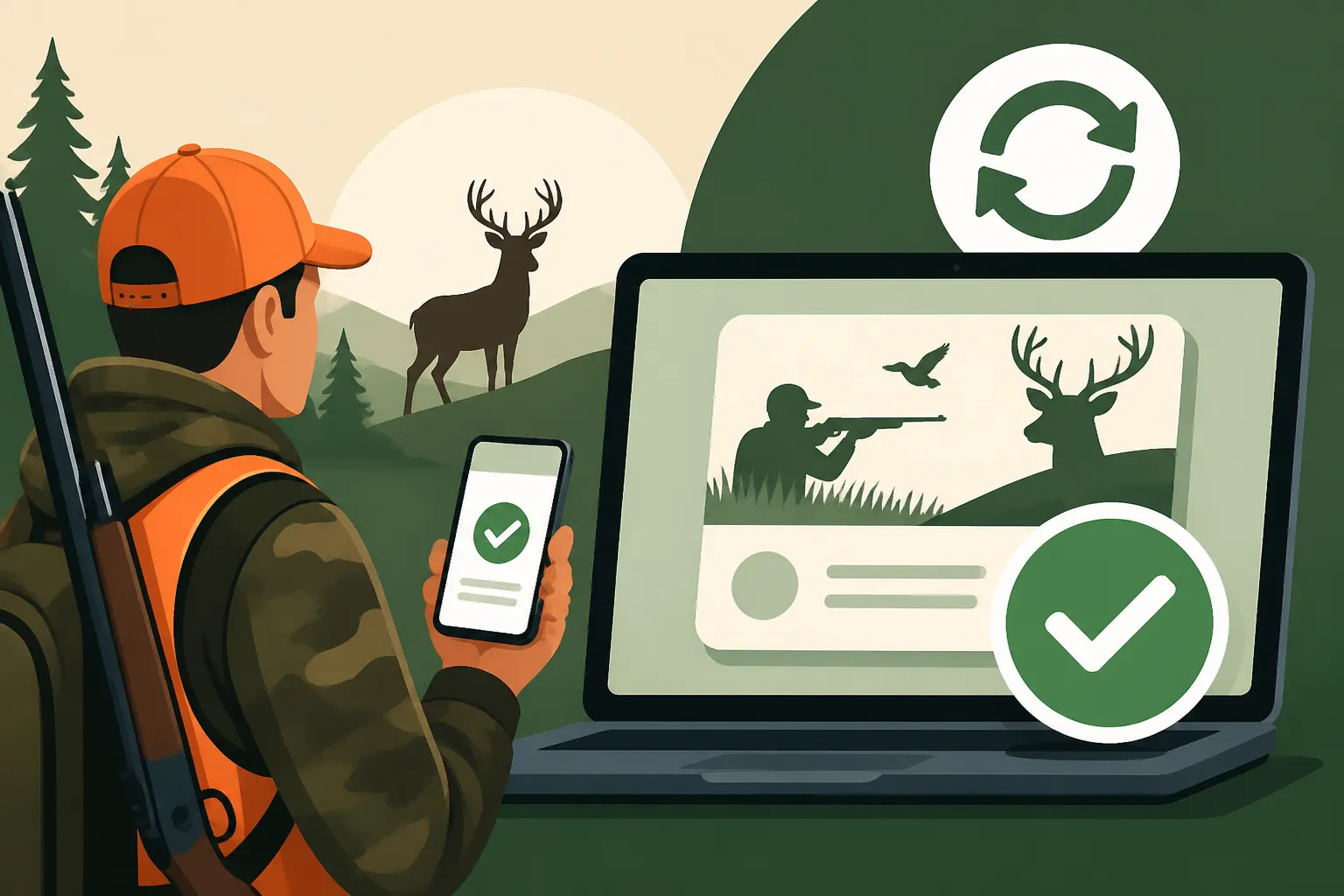
- Temporary Proof: This is crucial! Until your physical Outdoors Card arrives in the mail (which can take a few weeks), your confirmation email or the digital display on your ION portal account acts as your valid proof. You can even access it on a smartphone through the official portal, or if you use an app like GoHunt, ensure your digital profile is updated to reflect the renewal. This allows you to purchase licences immediately, even before the plastic card shows up. Having the ability to present your licence on your phone is a huge convenience, as discussed in Carrying Your Licence on Your Phone.
It’s always a relief when you hit that "confirm" button and see the "success" message. You're officially good to go for another three years!
Troubleshooting Common Online Renewal Issues
Even with the best intentions and a user-friendly system, sometimes things don't go as planned. Technical glitches, forgotten details, or unexpected delays can throw a wrench into your plans. Let's tackle some of the common snags you might hit when trying to renew your Outdoors Card online.
Forgotten Logins and Passwords
This is probably the most common hurdle. It happens to the best of us – you only log into the portal once a year (or every three years for renewals!), so remembering your password can be a challenge.
- "Forgot Password" Feature: The good news is that the ION portal has a standard "Forgot Password" link. Click this, and it will usually prompt you to enter your Outdoors Card number or the email address associated with your account. An email will then be sent with instructions on how to reset your password. Make sure to check your spam or junk folder if you don't see it right away.
- Outdoors Card Number Lost: What if you've lost your physical card and can't remember your number? This is a bit trickier, but not impossible. The portal might allow you to search for your Outdoors Card number using personal information like your name, date of birth, and postal code. If that doesn't work, your best bet is to call the MNRF's Natural Resources Information Centre (NRIC). They have access to your records and can help you retrieve your number or walk you through the login process.
- Account Locked: After several failed login attempts, your account might get temporarily locked for security reasons. If this happens, wait a bit and try again, or use the "Forgot Password" feature. If the problem persists, the NRIC is your go-to resource. Don't create a new account if you already have one; this can lead to duplicate profiles and complicate your licence history. Consistency is key, especially when you're dealing with something as important as your hunting credentials for Rifle Hunting Ontario's Deer Season or Bowhunting Ontario's Long Archery Season.
Payment Processing Problems
You've done everything right, but your payment isn't going through. This can be infuriating!
- Check Card Details: The simplest solution is often the answer. Double-check your credit card number, expiry date, and the CVV security code. A single typo can cause a rejection. Also, ensure the billing address you're providing matches what your credit card company has on file.
- Insufficient Funds/Credit Limit: It might sound obvious, but ensure you have enough funds or available credit on your card. Sometimes, small transactions slip our minds.
- Bank Security Blocks: Your bank might flag the transaction as unusual, especially if you rarely make online government payments or if it's an unusual amount (even if small). A quick call to your bank or credit card provider can often resolve this. They can typically approve the pending transaction or remove the temporary block.
- Browser/Internet Issues: Sometimes the problem isn't your card at all. Try clearing your browser's cache and cookies, or try using a different web browser. A stable internet connection is also vital. If your connection is spotty, the transaction might time out. If you're using a public Wi-Fi network, consider switching to a more secure home network for financial transactions.
- Portal Glitch: On rare occasions, the portal itself might be experiencing a temporary issue. If you've tried everything else, wait a few hours and try again. If it's a widespread issue, the MNRF often posts alerts on their website or social media.
What to Do If Your Card Doesn't Arrive
You renewed, you paid, you got the confirmation email, but weeks go by, and no physical Outdoors Card shows up in your mailbox. Now what?
- Check the Timeline: Remember, the mail isn't always lightning-fast. The MNRF usually advises allowing a few weeks for your physical card to arrive. If it's only been a week, try to be patient.
- Verify Address: Log back into your ION portal account and re-verify the mailing address on file. Was there a typo? Did you forget to update it after a recent move? If the address was incorrect, you might need to contact the NRIC to request a reprint and update your information.
- Use Digital Proof: In the interim, your digital confirmation (the email or the view on your portal account) is perfectly valid for purchasing licences and as proof of your Outdoors Card. You can always print a copy of your email confirmation to keep with your other hunting documents. This is a lifesaver when you need to grab your Ontario Black Bear Rules or Ontario Deer Season Dates and Tags at the last minute.
- Contact NRIC: If a reasonable amount of time (e.g., 3-4 weeks) has passed and you've confirmed your address is correct, it's time to call the Natural Resources Information Centre (NRIC). Explain the situation, provide your Outdoors Card number and confirmation number, and they can investigate the mailing status and arrange for a replacement if needed. Be prepared to provide some personal identification details to confirm your identity.
It’s always a good idea to keep digital copies of all your licences and permits, whether on your phone or in a cloud storage service. This redundancy can save a lot of headaches if a physical card goes missing or gets damaged. Apps like GoHunt can also store digital copies, making it easy to access them on the go.
Beyond Renewal: What to Do Next
Renewing your Outdoors Card online is a big step, but it’s just one piece of the puzzle for a smooth hunting season. Once that renewal is confirmed, there are a few other things to keep in mind to ensure you’re fully prepared and compliant with Ontario’s hunting regulations.
Carrying Your Licence on Your Phone
The world has gone digital, and thankfully, Ontario’s hunting regulations have largely caught up. You no longer have to carry that plastic card in your wallet, although many traditionalists (like myself!) still prefer to.
- Digital Access: Once your Outdoors Card is renewed, you can access your digital version directly through the official ION portal on your smartphone. Just log in, and your current licence information, including your Outdoors Card status, will be visible.
- Screenshot or PDF: While the official stance is that showing the live portal is best, many hunters take a screenshot of their valid Outdoors Card and current licences, or save them as PDFs, for quick access in areas with no cell service. Just be aware that an officer may still ask for the live portal if they have any doubts.
- GoHunt Integration: For those who use third-party apps like GoHunt, ensure your profile is synced or updated to reflect your renewed Outdoors Card. This can be a convenient way to keep all your hunting information, from WMU boundaries to your licences, in one place. When you're out Scouting a Wildlife Management Unit, having all your documents easily accessible can make a world of difference.
- Physical Card Still Valuable: Even with digital options, keeping your physical card somewhere safe is a good backup. Batteries die, phones get lost, and sometimes good old plastic is simply more reliable in the bush.
Having your valid Outdoors Card readily available, whether physical or digital, is legally required when hunting or fishing. It’s a core part of being a responsible hunter and helps enforce Ontario Hunter Education Requirements.
Understanding Your New Card's Validity
Remember that three-calendar-year rule we talked about? It applies to your newly renewed card as well. Your new Outdoors Card will be valid from the date of renewal until December 31st of the third calendar year following its purchase.
Example:
If you renew your Outdoors Card on:
- May 1, 2024: Your card will be valid until December 31, 2026.
- October 15, 2024: Your card will still be valid until December 31, 2026.
This calendar-year validity is important because it means that even if you renew early in a year, you still get the full benefit up to the end of the third calendar year. It also means you might want to mark your calendar for around late fall/early winter in your expiry year to start thinking about renewing again. It’s just how When Ontario Licences Expire works across the board.
Planning Your Next Hunt with a Valid Card
With your Outdoors Card squared away, you're now free to focus on the exciting part: planning your next hunting adventure! This includes purchasing your specific hunting licences and tags for the species you intend to pursue.
- Purchase Licences: Log back into the ION portal. Now that your Outdoors Card is active, you can buy your deer tags, bear licence, turkey tags, or migratory bird permits. Each species has its own licence requirements, and some, like moose or antlerless deer, require successful participation in a draw process.
- Check Regulations: Always, always, always consult the current Ontario Hunting Regulations Summary. Seasons, bag limits, and specific rules for Wildlife Management Units (WMUs) can change year to year. You can find information about specific seasons, like Hunting Ontario's Late September Archery Opener or Hunting Ontario's December Muzzleloader Days, within this summary. Don’t rely on memory!
- WMU Research: Research your chosen WMU thoroughly. Understanding the local terrain, common game movements, and access points is crucial. Whether you're considering Hunting Deer in Southern Ontario Farmland or trying Hunting Deer in Ontario's Mixed Forest, detailed knowledge of your WMU is invaluable. GoHunt and the MNRF's WMU maps are fantastic resources for this.
- Gear Up: With everything legal and planned, it's time to ensure your gear is ready. From your rifle to your boots, making sure everything is in top shape will contribute to a successful and safe hunt. Our guide on Planning an Ontario Hunting Trip offers a lot more detail on getting ready for your adventure.
Renewing your Outdoors Card online is a foundational step. By taking the time to understand the process and troubleshoot any issues, you ensure that you can spend less time on administration and more time enjoying the incredible hunting opportunities that Ontario has to offer.
Disclaimer
Please remember that the information provided in this guide is for general informational purposes only and is not a substitute for the official Ontario Hunting Regulations Summary. Regulations can change, and it is always your responsibility as a hunter to consult the most current official regulations issued by the Ontario Ministry of Natural Resources and Forestry (MNRF) before participating in any hunting activity. Always confirm season dates, bag limits, and licensing requirements with official sources.