Buying Licences Through Ontario’s Portal
We've all been there: the excitement of planning an Ontario hunt, followed by the inevitable dread of navigating the licensing process. The days of trudging to a retail location, hoping they have the right forms, or worse, finding out you missed a deadline, are frustrating memories for many. Thankfully, Ontario has streamlined much of this with its online hunting licence portal, making it easier than ever to secure your Outdoors Card, licences, and tags from the comfort of your own home. This guide will walk you through everything you need to know to confidently use the system.
Navigating the Online Hunting Licence Portal
The thought of dealing with government portals can sometimes feel like trying to untangle a fishing line after a big snag – a bit daunting, right? But the Ontario hunting licence portal, often associated with the GoHunt platform, is designed to be user-friendly, putting the power of obtaining your hunting credentials right at your fingertips.
Why the Online Portal is Your Best Friend
Let's face it, convenience is king, especially when you're juggling work, family, and carving out time for scouting and preparing for the season. The online portal offers 24/7 access, meaning you can buy your licence at midnight if that's when you finally have a moment of peace, or from your remote cabin with a decent internet connection. This is a far cry from the old days where you had to plan a trip to a ServiceOntario centre or an authorized licence issuer during business hours, often competing with everyone else trying to get their paperwork in order just before a season opener. The digital system eliminates geographical barriers and saves precious time, allowing you to focus more on the hunt itself and less on the red tape. It also ensures that all your information is accurately captured and immediately updated in the provincial database, reducing potential errors that could arise from manual processing.
Setting Up Your Account: The First Step
Before you can dive into purchasing licences, you need a solid foundation: an online account linked to your Outdoors Card. For most resident hunters, this begins with having a valid Outdoors Card – it’s your unique identifier as an Ontario outdoors enthusiast and is a prerequisite for just about any hunting or fishing activity in the province. If you don't have one, or if yours has expired, the portal is the place to get started. You'll typically enter some basic personal information, and if you have an existing Outdoors Card, the system will link it right up. If you’re brand new to hunting in Ontario, you’ll first need to complete your hunter education requirements. Once that’s done, applying for an Outdoors Card is the very first step in gaining access to hunting opportunities. Once your Outdoors Card is active, the GoHunt platform will become your primary interface for all subsequent licensing and draw applications. Make sure to keep your login details in a safe place, as you'll be using this account for years to come.
Understanding Your Ontario Outdoors Card
Think of your Outdoors Card as your hunting passport in Ontario. It's more than just a piece of plastic; it's the gateway to all your hunting and fishing adventures in the province, linking your identity to your qualifications and entitlements.
The Foundation of All Ontario Hunting
Every resident and non-resident hunter in Ontario must possess a valid Outdoors Card. This card signifies that you've met the basic requirements to participate in hunting and fishing activities, including completing the necessary hunter education courses. Without it, you cannot purchase any hunting licences or apply for any tags. The card itself has a validity period, typically five years, after which it needs to be renewed. It’s crucial to keep an eye on this expiry date, as an expired card means you won't be able to buy new licences, which can be a real headache if you only realize it days before your big hunt. The online portal makes renewing your Outdoors Card straightforward, ensuring you remain compliant and ready for the field. For a deeper dive, check out our guide on Ontario's Outdoors Card Explained.
Linking Your Outdoors Card to Your Online Profile
When you first set up your account on the GoHunt portal, one of the key steps is linking your existing Outdoors Card number to your digital profile. This ensures that all your past hunting history, completed courses, and any preference points you've accumulated (especially important for moose draws!) are tied to your single online identity. For those new to the system or those who have just completed their hunter education, the portal will guide you through the process of applying for your very first Outdoors Card. This typically involves inputting your personal details, proof of hunter education completion, and then receiving your Outdoors Card number, which immediately becomes active for purchasing licences online. Accuracy is paramount here; any discrepancies in your name, date of birth, or address could cause issues down the line, so double-check everything during the setup process. It’s also wise to keep your physical Outdoors Card in your wallet, though the digital version available through the portal is usually sufficient proof of possession in the field.
Purchasing Your Hunting Licences and Tags
Once your Outdoors Card is sorted and linked, the real fun begins: acquiring the actual licences and tags that permit you to hunt specific game species in Ontario. The online portal makes this a relatively seamless process, allowing you to tailor your purchases to your hunting plans.
Step-by-Step Through the Licence Purchase Process
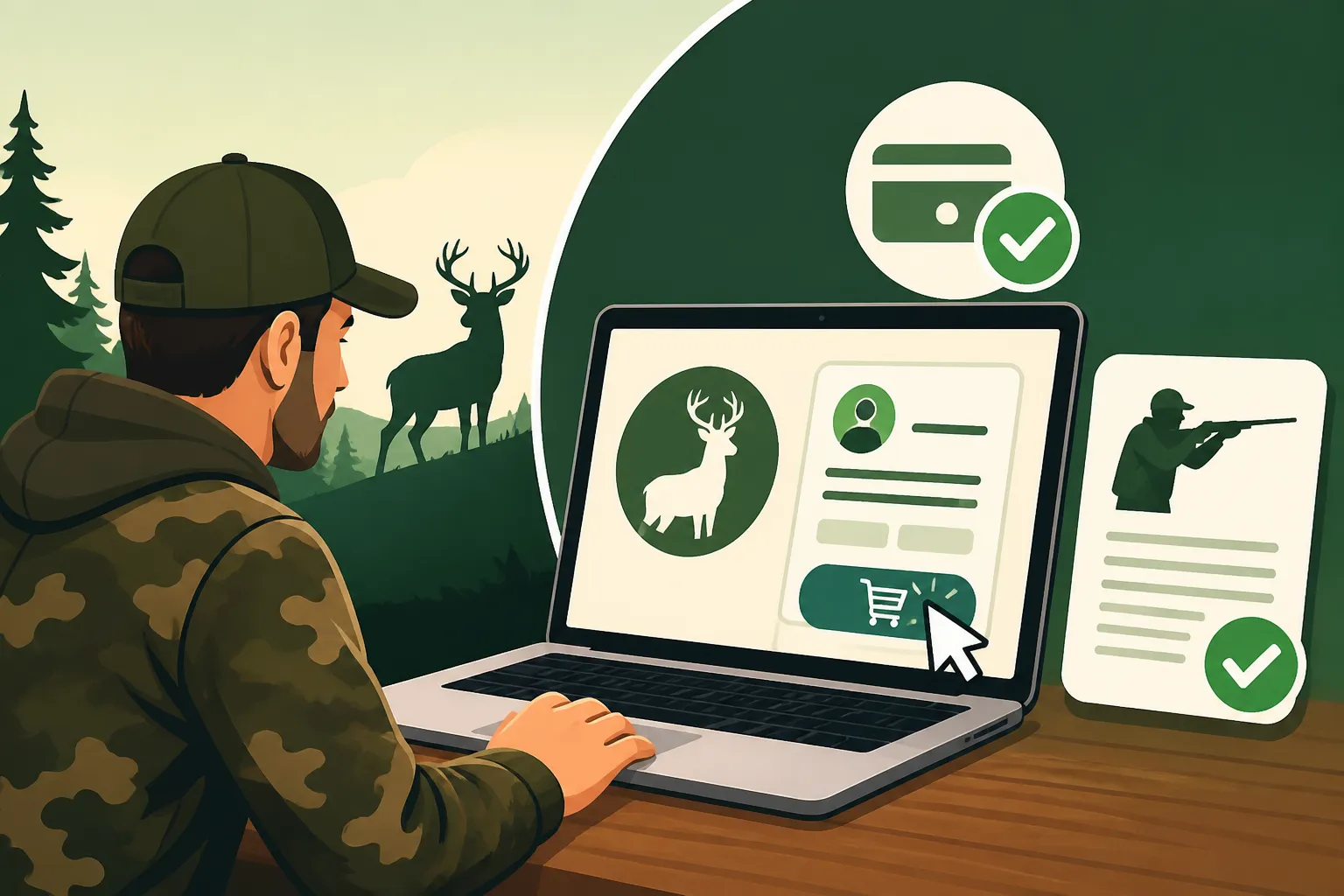
The beauty of the online portal is its intuitive design, guiding you through each selection. After logging into your GoHunt account, you'll find a section dedicated to purchasing licences and tags. Here, you can select the specific hunting licences you need, whether it's an Ontario Resident Deer Licence, a Small Game Licence, or a combination package. Each selection will prompt you for additional details relevant to that licence. For example, when buying a deer licence, you might then be offered options for antlerless deer validations if available in your chosen Wildlife Management Unit (WMU), or opportunities to apply for special controlled hunts. The system clearly displays the cost for each item, and once you've made all your selections, you'll proceed to a secure checkout. Payment options typically include credit cards, making the transaction quick and efficient. For a detailed breakdown of costs, refer to our comprehensive article on Ontario Hunting Licences and What They Cost. It’s a good practice to review your cart carefully before finalizing the purchase to ensure you haven't missed anything or accidentally selected the wrong item.
Applying for Controlled Hunts and Draws
This is where the online portal truly shines for serious hunters. Ontario manages several popular big game species, such as moose and elk, through draw systems to ensure sustainable harvest levels. These draws, along with controlled deer hunts in certain WMUs, are entirely managed through the online portal. You'll apply for these draws within specific application periods, indicating your preferred WMU and any party information if you're hunting with a group. The system tracks your application history and, for moose, accumulates your preference points, which are crucial for drawing a tag in highly sought-after areas. When the application period closes, the draw is conducted, and results are posted directly to your online profile, often with an email notification. This centralization ensures transparency and eliminates the need for separate paper applications for each draw. For more information on the moose draw, be sure to check out The Primary Moose Allocation Stage, and for deer, explore Ontario Controlled Deer Hunt Validations.
Understanding Tag Specifics and What They Cover
It's vital to differentiate between a hunting licence and a tag (or validation). Your hunting licence grants you the general authority to hunt a specific species category (e.g., deer, bear, small game). However, for many big game species, you'll also need a physical tag or a validation that specifies the type of animal (e.g., bull moose, antlerless deer) and the WMU in which it can be harvested. These tags are often printed at home, or issued digitally through the GoHunt app. For instance, an Ontario Resident Deer Licence allows you to hunt deer, but if you want to harvest an antlerless deer in a WMU that requires a validation, you'll need to apply for and receive that specific antlerless tag through the draw. The online portal clearly indicates what each tag or validation covers, including bag limits and any special conditions. Always read the accompanying regulations for your specific tags, as they outline legal harvest criteria, such as "evidence of sex" requirements or specific hunting methods allowed. This careful attention to detail ensures you’re fully compliant when you hit the woods.
Managing Your Hunting Profile and History
One of the often-underestimated benefits of the online portal is its ability to act as a comprehensive digital record-keeper for your hunting career in Ontario. No more sifting through old papers or trying to remember past hunt details; it's all there, neatly organized.
Accessing Your Licence and Tag History
Once logged into your GoHunt account, you'll find a section dedicated to your past purchases and applications. This history is incredibly valuable for several reasons. Firstly, it allows you to quickly verify what licences and tags you currently hold or have held in previous seasons. This is particularly useful for new hunters learning the ropes or for seasoned veterans planning multi-species hunts. Secondly, this historical data is crucial for future applications, especially for draws where your previous participation or success might influence your eligibility or preference points. Imagine trying to recall every moose draw you've entered over the last decade without this digital archive – it would be a nightmare! The portal keeps a permanent record, making it easy to review your hunting journey year after year.
Updating Personal Information and Hunter Credentials
Life happens, and sometimes your address changes, or you get a new phone number. Keeping your personal information up-to-date in your GoHunt profile is paramount. Incorrect contact details could mean you miss important notifications about draw results, regulation changes, or even emergency alerts. The portal provides a straightforward interface for updating your address, phone number, email, and other personal data. Furthermore, if you've completed additional hunter education courses or certifications (like an archery-specific course, though not always mandatory for licensing it's good to keep track), you can sometimes update your credentials within the system. Ensuring your profile is current not only benefits you but also helps the Ministry of Natural Resources and Forestry (MNRF) maintain accurate records for communication and wildlife management purposes. A quick check of your profile once a year, perhaps when you renew your Outdoors Card, can save a lot of headaches later on.
Reporting Your Harvest Online
For certain species, particularly big game like deer, moose, and bear, mandatory harvest reporting is a critical component of Ontario's wildlife management strategy. It helps the MNRF track population numbers, assess harvest rates, and make informed decisions about future tag allocations and season structures. The online portal makes this often-overlooked step incredibly easy. After successfully harvesting an animal for which reporting is required, you can log into your GoHunt account and submit your harvest details directly through the system. This typically includes information such as the species, sex, date of harvest, and the WMU where the animal was taken. This digital reporting streamlines the process, replacing the need for mail-in cards or phone calls, and ensures that your data is quickly integrated into the provincial database. It's a small but significant way that hunters contribute to the health and sustainability of Ontario's wildlife populations. For detailed instructions on this vital step, refer to our guide on Reporting Your Ontario Harvest.
Troubleshooting Common Portal Issues
Even with the best intentions and user-friendly design, technology can sometimes throw a curveball. Don't let a minor glitch derail your hunting plans. Understanding common issues and how to tackle them will save you a lot of stress.
Lost Passwords and Account Recovery
Forgetting a password is a common woe in our digital age. You've set up your GoHunt account, logged in once, and then months later, when the season is approaching, you draw a blank. Thankfully, the portal has a robust account recovery system. Typically, there's a "Forgot Password?" or "Retrieve Account" link on the login page. This will usually prompt you to enter your email address or Outdoors Card number, and then send a password reset link to your registered email. It's crucial that you have access to the email address associated with your account. If you've changed emails and haven't updated your profile, this could be a stumbling block. In such cases, you might need to contact the MNRF's client services directly for assistance in verifying your identity and regaining access. It's a good idea to use a strong, unique password and perhaps keep a record of it in a secure password manager.
Technical Glitches and Browser Compatibility
While generally reliable, online portals can occasionally experience technical hiccups. This might manifest as a page not loading correctly, a payment failing to process, or an inability to complete a form submission. Often, these issues are minor and can be resolved with simple steps. First, try clearing your browser's cache and cookies, or try using a different web browser (e.g., if you're using Chrome, try Firefox or Edge). Sometimes, outdated browser versions or certain browser extensions can interfere with the portal's functionality. Ensuring your internet connection is stable is also important, particularly during payment processing. If an issue persists, take a screenshot of any error messages you receive. This information is invaluable if you need to contact customer support, as it helps them quickly diagnose the problem. The GoHunt platform is usually well-maintained, but being prepared for a rare technical snag is part of being a digital user.
Misunderstandings About Licence Requirements
Sometimes the issue isn't technical, but rather a misunderstanding of the hunting regulations themselves. New hunters, in particular, might get confused about which licences cover which species, or the difference between a general licence and a specific tag or validation. For example, a common point of confusion is whether a Small Game Licence covers all small game, or if there are specific nuances for certain species or methods. The best way to clarify these points is by consulting the official Ontario Hunting Regulations Summary. This document is your bible for all things hunting in the province and is easily accessible online, often linked directly from the GoHunt portal. Our guide on Where to Read the Ontario Hunting Summary also provides excellent context. If you're ever in doubt about what licence or tag you need for a specific hunt, it's always better to double-check the regulations or contact the MNRF directly rather than risk non-compliance in the field.
Planning Your Hunt Around Your Licence Purchases
Securing your licences and tags is more than just a transaction; it's an integral part of your overall hunt planning. Timing and coordination are key to ensuring you're fully prepared when the season opens.
Timing Your Licence Purchases for Peak Season
Just like you wouldn't leave your deer stand setup until opening morning, you shouldn't leave your licence purchases to the last minute. While the online portal is available 24/7, last-minute rushes can sometimes lead to unexpected technical issues or simply the stress of scrambling. It’s always best to purchase your general hunting licences well in advance of the season you plan to hunt. For draw-based opportunities like moose or controlled deer hunts, paying attention to the application deadlines is absolutely critical. Missing a deadline for the When Primary Moose Applications Open period means missing out on that year's hunt entirely, and potentially resetting years of accumulated preference points. By purchasing early, you give yourself peace of mind and allow ample time to address any unexpected issues, ensuring you're ready when the season officially arrives.
Coordinating Group Hunts Through the Portal
Hunting is often a shared experience, and for some species like moose, applying as a group can significantly improve your odds in the draw system. The GoHunt portal facilitates this by allowing group applications where one member acts as the "party leader" and includes the Outdoors Card numbers of other party members. However, it's essential that every member of the hunt party has a valid Outdoors Card and an active online profile. The party leader is responsible for ensuring all members are correctly added and that their information is accurate. Communication within your group is vital here. Make sure everyone knows the application deadlines, and confirm that all members are eligible and willing to participate in the draw. Understanding How an Ontario Moose Hunt Party Works can prevent common misunderstandings and ensure a smooth application process for your entire crew.
Preparing for a Successful Trip with Your Digital Licences
With your licences and tags purchased through the GoHunt platform, you're almost ready for the field. But before you head out, think about how you'll carry proof of your licences. While you can typically carry your licence on your phone, many hunters still prefer to print a physical copy of their Outdoors Card, licences, and tags as a backup, especially in areas with poor cell service. It's a small precaution that can save you a lot of grief if your phone battery dies or you drop it in a puddle. Ensure all necessary validations are printed and carried for the specific game species and WMU you'll be hunting. For example, if you're planning on Hunting a Hardwood Ridge for Whitetails in a particular WMU, ensure your deer licence and any specific antlerless validations for that area are readily accessible. Similarly, for a major expedition like Moose Hunting Ontario's Northern Bush, double-check you have all the required moose tags. Having all your documentation in order is not just about compliance; it's about being prepared and showing respect for the regulations that conserve Ontario's incredible wildlife. Our article on Carrying Your Licence on Your Phone offers practical advice on this.
| Licence Type | What it Covers | General Purchase Window | Important Notes |
|---|---|---|---|
| Outdoors Card | Mandatory for all hunters/anglers | Any time, valid for 5 years | Prerequisite for all other licences. Renew before expiry. |
| Resident Deer Licence | Allows hunting deer (requires tags for specific types/WMUs) | Leading up to deer seasons | Often requires separate antlerless validations via draw for specific WMUs. |
| Small Game Licence | Various small game (rabbits, grouse, squirrels etc.) | Any time, leading up to seasons | Check specific season dates and bag limits by species and WMU. |
| Bear Licence | Black bear hunting (spring/fall) | Leading up to spring/fall seasons | Requires a Bear Validation Certificate. Check WMU-specific season dates. |
| Moose Licence | Moose hunting (bull, cow, calf) | Via application draw (Spring/Summer) | Highly competitive draw system. Preference points accumulated. Group applications possible. Check The Primary Moose Allocation Stage. |
| Wild Turkey Licence | Wild turkey hunting (spring/fall) | Leading up to spring/fall seasons | Specific tag required for each bird harvested. Check season dates and bag limits. |
| Migratory Game Bird Permit | Federal permit for ducks, geese, woodcock, snipe | Annually, before migratory season | Required in addition to an Ontario Small Game Licence. Sold separately by Canada Post. |
Disclaimer
The information provided in this guide is for general informational purposes only and does not constitute legal advice. While we strive to offer accurate and up-to-date content, hunting regulations in Ontario are subject to change. It is the responsibility of every hunter to consult the most current Ontario Hunting Regulations Summary, available through the Ministry of Natural Resources and Forestry (MNRF) website or at authorized licence issuers, before engaging in any hunting activities. Always ensure you are compliant with all federal, provincial, and local laws and regulations.