Carrying Your Licence on Your Phone
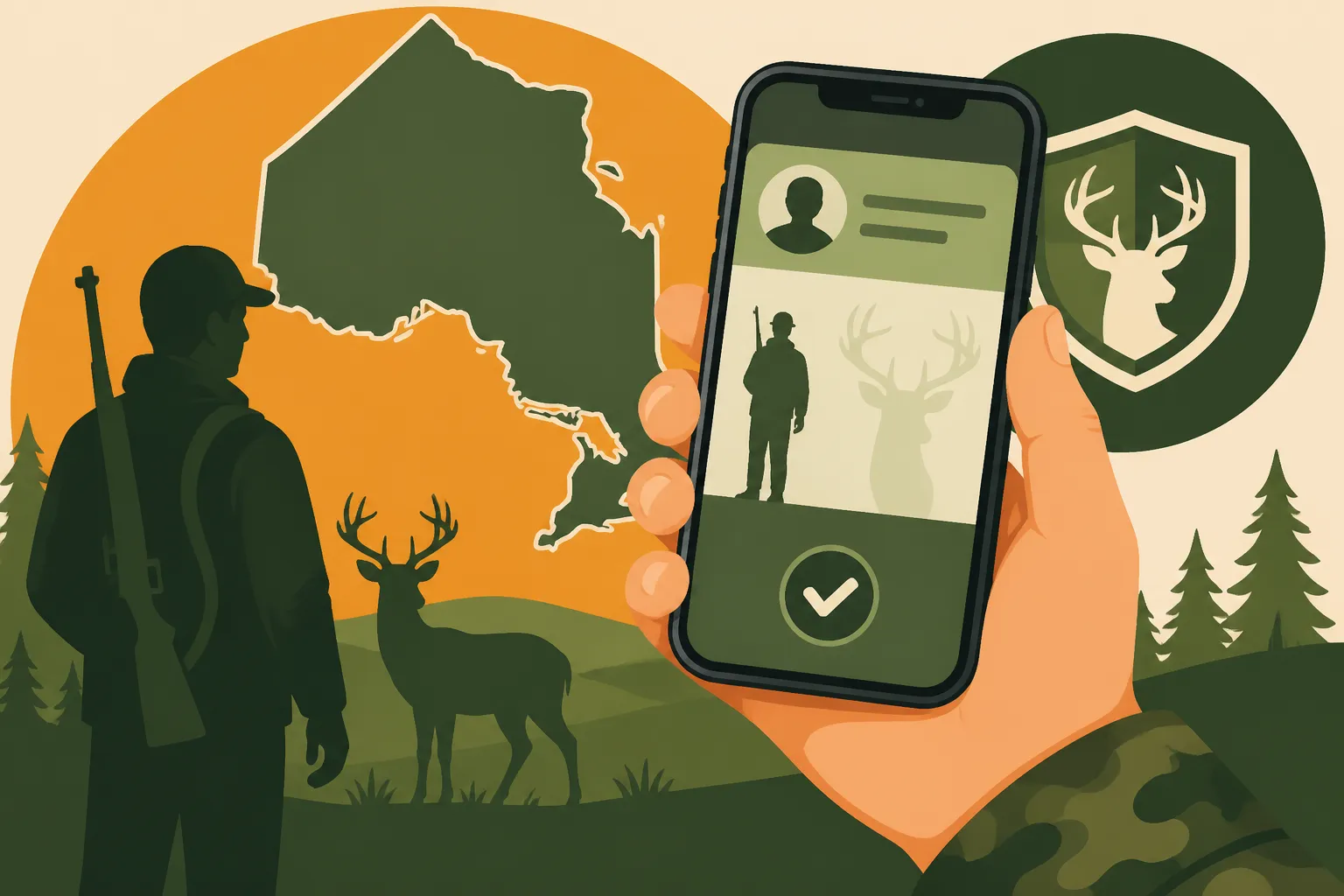
There’s nothing quite like the feeling of hitting the bush for a hunt, gear packed, senses sharp, and that quiet anticipation humming in your veins. But let's be honest, in the scramble of a pre-dawn departure or the rush to make it to your stand, fumbling for that little plastic Outdoors Card or worrying about leaving your paper tags back at camp can be a real headache. We’ve all been there, and the anxiety of being caught without your proper documentation is a feeling no hunter wants. Thankfully, Ontario has embraced modern convenience, allowing hunters to carry their essential licences right on their smartphone. This guide will walk you through how to legally and effectively carry your Ontario hunting licence on your phone, helping you ditch the paper chase and focus on the hunt.
The Evolution of Hunter Credentials: Digital is the New Standard
For years, the ritual of hunting involved a pocket full of plastic cards and folded paper tags – your Outdoors Card, your deer tag, your small game licence, maybe a migratory bird permit. You’d carefully stash them in a waterproof pouch, hoping they wouldn't get soaked or torn. But times change, and just like many other aspects of our lives, hunting administration has moved into the digital age. Ontario's Ministry of Natural Resources and Forestry (MNRF) has made significant strides in making the process more streamlined, acknowledging that most people carry a smartphone and prefer digital access.
The Shift from Physical Cards to E-Licensing
The move to e-licensing wasn't just about convenience; it was also about efficiency and accuracy. Gone are the days of needing to mail in physical forms or waiting for plastic cards to arrive in the post. Now, when you purchase your Ontario Hunting Licences and What They Cost or renew your Outdoors Card, the process is largely online. This digital framework means your credentials are automatically updated in a central system, accessible to you and to conservation officers in the field.
The biggest benefit for us hunters? Less physical clutter and a reduced risk of loss or damage to critical documents. Think about it: how many times have you had a paper licence get soggy in the rain, or found your plastic Outdoors Card cracked after a season of being crammed in your wallet? With a digital licence, the actual credential itself remains pristine within the provincial database. You're simply accessing a digital display of it, which, as we'll delve into, is fully recognized as legal proof in Ontario. This modern approach takes a load off your mind, allowing you to focus on the nuances of the hunt itself rather than constantly checking if your papers are safe and dry.
Understanding Your Ontario Outdoors Card and Licences
Before diving into the digital display, it’s important to remember the foundation of Ontario's hunting system: the Outdoors Card. Think of your Ontario's Outdoors Card Explained as your overarching hunter identity document. It's a foundational requirement for anyone looking to hunt or fish in the province, and it's valid for three calendar years. All your specific hunting licences – whether it's for whitetail deer, moose, black bear, or small game – are purchased and linked directly to your Outdoors Card number.
When we talk about carrying your "licence on your phone," we're really referring to displaying the digital record of your current Outdoors Card, along with any active hunting licences and tags linked to it. The system is designed so that when you access your digital profile, all your current, valid credentials are shown in one place. This includes your specific tags (like an antlered deer tag or a spring bear tag) which often have unique validation requirements. The key takeaway here is that the digital display on your phone is not just a copy; it's a live, valid representation of your legal right to hunt specific species during specific seasons, tied to your unique Outdoors Card identifier. This unified approach simplifies verification for both the hunter and enforcement officials, making it clear what you are authorized to pursue.
How to Access and Display Your Hunting Credentials on Your Phone
The beauty of Ontario's e-licensing system is its accessibility. You're not tied to one specific app or method; rather, you have a few reliable ways to pull up your credentials when you need them. The goal is to make it as straightforward as possible, ensuring you can quickly present your information if a conservation officer requests it, even when you're deep in the bush.
The Official Ontario Hunting and Fishing Digital Portal
The most direct and official way to access your licences digitally is through the provincial government's Fish and Wildlife Licensing Service portal. This is the same online platform where you likely purchased your licences in the first place, or renewed your Outdoors Card.
Here’s a step-by-step breakdown of how to access it on your phone:
- Open your phone's web browser: Use Safari, Chrome, Firefox, or whatever you normally use.
- Navigate to the official portal: Search for "Ontario Fish and Wildlife Licensing Service" or go directly to the website. It’s a good idea to bookmark this page on your phone for quick access later.
- Log in to your account: You'll need your Outdoors Card number (or another identifier like your email address) and your password. If you’ve forgotten your password, there are recovery options, but it’s best to sort this out before you're heading out the door at 4 AM.
- Access "My Licences": Once logged in, you'll typically see a dashboard or menu option that says "My Licences," "My Permits," or something similar. Click on this.
- View your current credentials: Here, you'll see a list of your active licences and tags. Each will display important details like the species, season dates, and your unique licence number. For many licences, you’ll see a scannable QR code which a conservation officer can use to quickly verify your information. It’s all there, live and ready to be shown.
It's important to remember that this method requires an internet connection to log in and refresh the page. While your phone might cache some of the data, relying solely on live access can be risky if you're in an area with spotty or no cell service, which is a common occurrence in many of Ontario's prime hunting spots. Always make sure to log out of your account when you're done to protect your personal information, especially if you're using a device that others might access.
Leveraging Third-Party Apps and Digital Wallet Features
Beyond the official portal, many hunters find it useful to integrate their digital licences with other tools they use in the field. This often involves taking screenshots or using dedicated hunting apps.
For instance, apps like GoHunt have become increasingly popular for hunters looking to manage their outdoor activities, from scouting new areas using satellite imagery to tracking game. While GoHunt primarily focuses on providing a vast array of mapping and data tools, some users find it convenient to store screenshots of their Ontario hunting licence within the app's photo or document storage features. This isn't a live feed from the provincial database, but it provides a readily accessible visual record. The benefit here is quick access, especially when you're offline. You can open GoHunt, navigate to your saved images, and present your licence in seconds.
Another common strategy is to simply take screenshots of your active licences from the official portal once you’ve logged in. Most smartphones allow you to save these images directly to your photo gallery or create a dedicated album for them. You can also explore adding these screenshots to your phone's digital wallet (like Apple Wallet or Google Wallet) if your device supports it, though this is primarily designed for payment cards and event tickets. While not as interactive as a live portal, a clear, high-resolution screenshot can be displayed to a conservation officer as proof of your licence, particularly if you're in a remote area without data connectivity.
The key to using these methods effectively is ensuring the screenshots are up-to-date and clearly legible. Before each hunting trip, it’s a wise practice to log into the official portal, confirm all your licences are active, and then take fresh screenshots. This way, you’re always presenting the most current information. Additionally, remember that while GoHunt and other apps offer great organizational tools, the definitive source for your licence information will always be the official government portal. Using these apps and features should be seen as a convenient enhancement, not a replacement for understanding the official system.
Practical Considerations for Digital Licences in the Field
Embracing digital licences offers incredible convenience, but it also introduces new challenges unique to technology in the wilderness. To ensure a smooth experience and remain compliant, it’s crucial to think ahead about how you'll manage your phone in the often harsh and unpredictable conditions of Ontario's hunting grounds.
Battery Life and Connectivity Challenges
This is perhaps the biggest hurdle for relying solely on your phone for licence display. We've all been there: you're deep in the woods, it's getting cold, and your phone battery, which was at 80% when you left the truck, is suddenly blinking red. Or, you're in a prime hunting spot, miles from the nearest cell tower, and you have absolutely no service. If a conservation officer approaches and your phone is dead or unable to connect to the internet to load your credentials, you’re in a tough spot.
- Battery Mitigation: A portable power bank is no longer a luxury for hunters who rely on their phones for navigation, communication, and now, licence display. Invest in a rugged, high-capacity power bank and keep it charged. Consider carrying a solar charger for extended trips. Turn off non-essential apps, put your phone in low-power mode, and keep it in an inside pocket to protect it from the cold, which drains batteries faster.
- Connectivity Solutions: This is where pre-planning becomes vital. Before you head into a remote area, use mapping apps that allow offline downloads, like GoHunt. As mentioned earlier, taking clear, dated screenshots of all your active licences and saving them directly to your phone’s gallery or a dedicated album is a non-negotiable step. Even if you have no service, those images are local to your device and can be displayed. Share these images with your hunting partners as well, so if something happens to your phone, they might have a copy. Always remember to check cell service maps for your Scouting With Satellite Imagery in Ontario before venturing into an unknown Wildlife Management Unit.
Ensuring Compliance During a Field Check
When a conservation officer (CO) asks to see your licence, they’re looking for clear, undeniable proof of your legal right to hunt. While digital display is legal in Ontario, how you present it can make a difference in the smoothness of the interaction.
- Be Prepared and Polite: Have your phone ready and quickly access your digital licence. Fumbling through apps or trying to remember your password will only delay the process and could create an impression of non-compliance. A CO expects you to have your credentials readily available, whether physical or digital.
- Clear Display: Ensure your screen is clean, bright, and free of cracks that might obscure information. Be ready to zoom in on specific details if requested, such as your Outdoors Card number or the species validation for a particular tag. Your display should be free of any other distracting content.
- No Interference: Do not hand your phone over to the CO unless specifically requested, and even then, be cautious. You should be the one navigating to and presenting the information. It’s your responsibility to ensure the CO can view all necessary details clearly without handling your personal device.
- Backup is Key: While digital is convenient, having a physical backup is still highly recommended, especially for critical tags. Printing out your tags or carrying a small, waterproof printout of your licence profile can save you a lot of grief if technology fails. This is particularly true for items like your Federal Migratory Game Bird Permit, where specific rules might apply.
Remember, the goal is always compliance. If your phone is dead, lost, or damaged, and you cannot produce your licence, you could be subject to fines or other penalties, just as if you had forgotten a physical copy. Prevention and redundant access are your best friends here.
Protection Against Damage and Loss
Our smartphones are not designed for the rigours of the Ontario bush. Rain, snow, mud, accidental drops, and extreme temperatures are all common threats. If your phone is damaged to the point where the screen is unreadable or the device is inoperable, your digital licence effectively becomes inaccessible.
- Rugged Cases and Screen Protectors: Invest in a high-quality, rugged, and waterproof case for your phone. Brands like OtterBox, LifeProof, or even more specialized hunting-specific phone cases offer superior protection against impacts, dust, and moisture. A good screen protector is also essential to prevent scratches or cracks that could render your licence display difficult to read.
- Strategic Storage: Don’t just toss your phone into an open pack pocket. Keep it in a secure, easily accessible, and protected location. A waterproof pouch within a zipped pocket of your jacket or hunting vest is ideal. This keeps it safe from the elements and accidental drops while also being readily available when needed.
- Awareness of Environment: Be mindful of where you're putting your phone down. Avoid placing it on wet logs, near open flames, or in areas where it could easily slip out of reach or fall into water. The Ontario bush is beautiful, but it's also unforgiving. Your phone is a tool, and like any other piece of gear, it needs to be treated with care, especially when it holds your legal right to hunt. Even with a tough case, sustained exposure to extreme cold or dampness can still affect performance and battery life.
By taking these precautions, you can enjoy the convenience of a digital licence while mitigating the risks associated with bringing sensitive electronics into the wilderness.
Best Practices and Troubleshooting Digital Licences
Adopting digital licences means adding a new set of pre-hunt rituals to your routine. Just like checking your rifle, reviewing your map, or confirming your Ontario Blaze Orange Requirements, a quick digital licence check can save you a lot of headaches in the field. Being proactive and having a backup plan is always the smartest approach when relying on technology in the outdoors.
Before You Head Out: Pre-Trip Checklist
A few moments of preparation before your hunt can ensure your digital licence is ready when you are. Think of it as your digital gear check.
- Fully Charge Your Phone (and Power Bank): This seems obvious, but it's the most critical step. Ensure your phone is at 100% before leaving home, and if you have a power bank, make sure it's fully charged too. Many hunters use their phones for navigation or communication, so having a fully charged device serves multiple purposes.
- Verify Licences on the Official Portal: Log into the Ontario Fish and Wildlife Licensing Service portal on your phone or computer. Double-check that all your relevant hunting licences and tags are active and visible. This is especially important if you've recently purchased a new tag or are hunting a season where your When Ontario Licences Expire might be an issue.
- Take Fresh Screenshots: Once you've verified everything on the portal, take clear, full-screen screenshots of each active licence and tag. Save these images to a dedicated folder in your phone’s photo gallery, or within an app like GoHunt, specifically labelled for hunting licences. This offline access is your primary backup against poor cell service.
- Consider a Paper Backup: Even with all the digital convenience, a physical printout of your Outdoors Card and any specific tags (especially those requiring notching) can be a lifesaver. Keep it in a waterproof baggie in your pack. It’s a simple, low-tech insurance policy against any technological hiccup.
- Update Your Apps: If you're using a third-party app like GoHunt for organization or offline maps, ensure it's updated to the latest version. App updates often include bug fixes and performance improvements that can prevent issues in the field.
- Review Hunter Education Info: While not strictly part of your licence display, if you need to quickly reference your Ontario Hunter Education Requirements certificate for any reason, ensure you know how to access it digitally if you don't carry a physical copy.
By incorporating these steps into your pre-hunt routine, you’re not just relying on the convenience of technology, but also building resilience into your preparation.
What to Do If Your Phone Fails
Despite all your careful planning, sometimes technology simply fails. A phone can get wet, dropped, run out of battery, or suffer an unexpected software glitch. If you find yourself in the woods and unable to display your digital licence, here’s a course of action:
- Check Your Screenshots: This is where those pre-taken screenshots come into play. If your phone still has power but no service, or if the official portal is unresponsive, you should still be able to pull up the images from your gallery. This is often enough for a conservation officer.
- Ask Your Hunting Partner: If you’re hunting with a group, and you've shared copies of your licences (or they simply remember your Outdoors Card number), they might be able to help. A CO might be understanding if a hunting partner can display proof of your licence on their device, though this isn't a guaranteed solution and depends on the discretion of the officer.
- Retrieve Physical Backup: If you followed the advice above and brought a paper copy, now is the time to produce it. This immediate physical proof will typically resolve any issues on the spot.
- Head Back to Camp/Vehicle: If all else fails and you genuinely cannot produce any form of your licence, your safest bet is to immediately cease hunting activities and return to your vehicle or camp to retrieve a physical licence, or access a reliable internet source to demonstrate your credentials. Explain the situation calmly and honestly to any conservation officer you encounter.
- Contact MNRF or Local Enforcement (If Necessary): In extreme cases, or if you're concerned about a potential violation, you might consider contacting the MNRF directly or the local conservation officer to explain your situation. However, this is usually a last resort, as it's far better to prevent the situation from arising in the first place through good preparation.
Remember, honesty and cooperation go a long way. Conservation officers are generally reasonable, but they are also responsible for enforcing the law. The best way to avoid a difficult situation is to ensure you have multiple ways to prove you are a legal, licensed hunter in Ontario, even when faced with the unexpected challenges of the wilderness. Don’t forget that you are required to produce your licence upon request, and if you cannot, even if you are legally licensed, you may face consequences. Ultimately, being able to reliably produce your credentials, whether for a routine check or to facilitate Reporting Your Ontario Harvest, is part of responsible hunting.
Disclaimer
The information provided in this guide is for general informational purposes only and does not constitute legal advice. While efforts have been made to ensure accuracy, hunting regulations in Ontario are subject to change. Always consult the official Ontario Hunting Regulations Summary and the Fish and Wildlife Conservation Act for the most current and authoritative information. Hunters are responsible for understanding and complying with all applicable laws and regulations.